
What it does
Most kitchen timers count down from the moment you press start. Fine for an egg. Less useful when there are four things on the go, the oven is full, and you are doing sums with a hot tray in your hands. If the chicken needs 90 minutes and the peas need 4, when does each one actually go on?
bit.timer works the other way round. Add each dish with its cook time and it sorts out the running order for you, so everything is ready together. Your longest dish sets the pace: it goes on first, and the rest are staggered behind it. You never have to pick a serve time, though you can if you are cooking to one.
What you get is one screen telling you what to do next: a shared SERVE IN countdown, the dish that needs to go on flashing at the top of the list, and one pixel progress bar per dish filling at its own rate so they all reach the end together.
Dishes do not start themselves. When something needs to go in, its bar flashes and reads TAP TO START; you tap it once the dish is genuinely in the oven. That keeps the plan honest. Five minutes late with the potatoes? Tap them in when they go in and everything else shifts to match, rather than the whole schedule quietly drifting out of step with the actual cooking.
Main features
- Work backwards from one moment: your longest dish sets the serve time and everything else is staggered behind it. Set your own serve time instead if you are working to a deadline.
- Start alerts: a notification when each dish needs to go on, so you can leave the kitchen.
- Worktop display: stripped back and large type, readable from across the room, for a phone propped against the tiles. Portrait or landscape.
- Eight display themes: a timer you glance at forty times in an afternoon may as well look good. Sunset, Phosphor, Amber CRT, Handheld, Home Micro, Rubber Keys, Vaporwave and Teletext, the CRT ones with scanlines.
- Saved meals: keep a full set of dishes as a preset, so next Sunday takes one tap instead of five minutes of typing.
- Properly offline: no account, no sign-in, no network needed. Your dishes stay on your phone.
A look at it
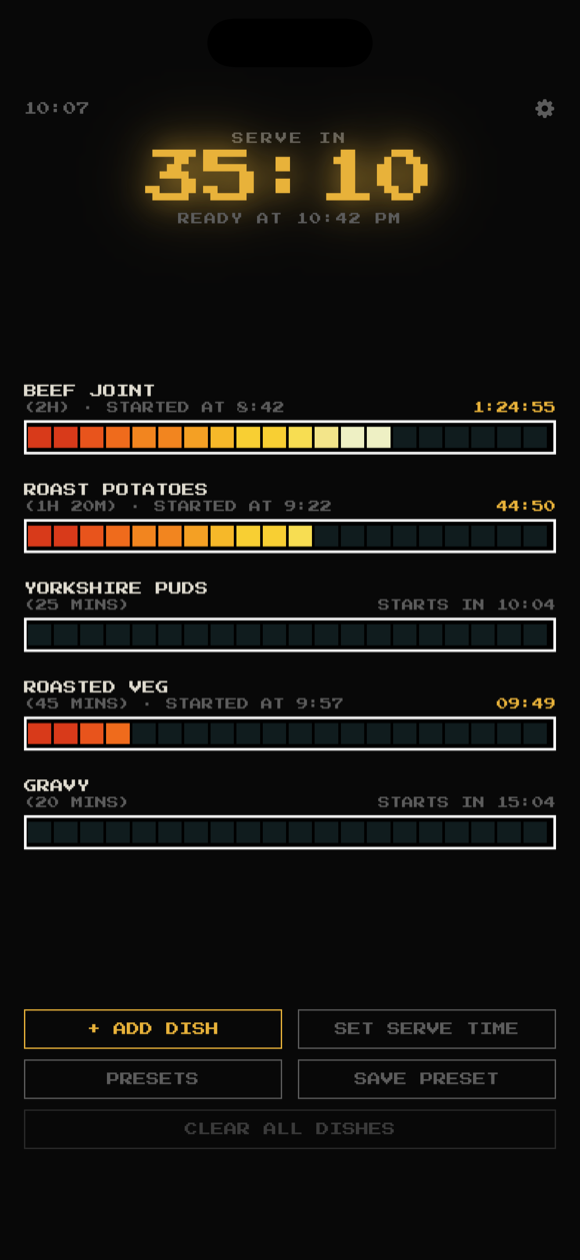
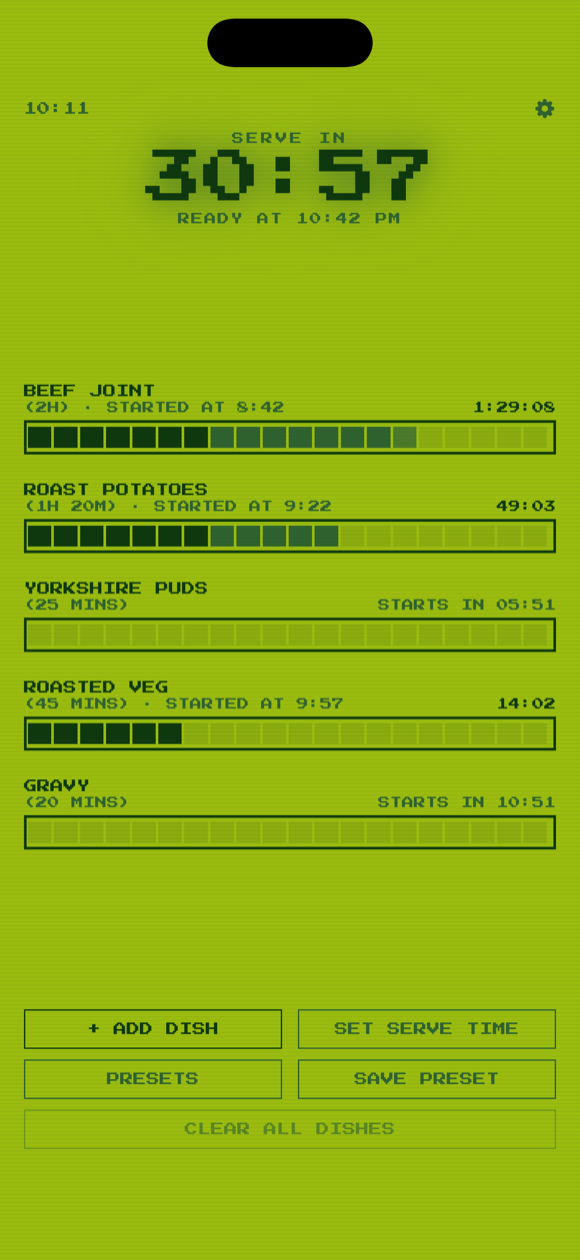
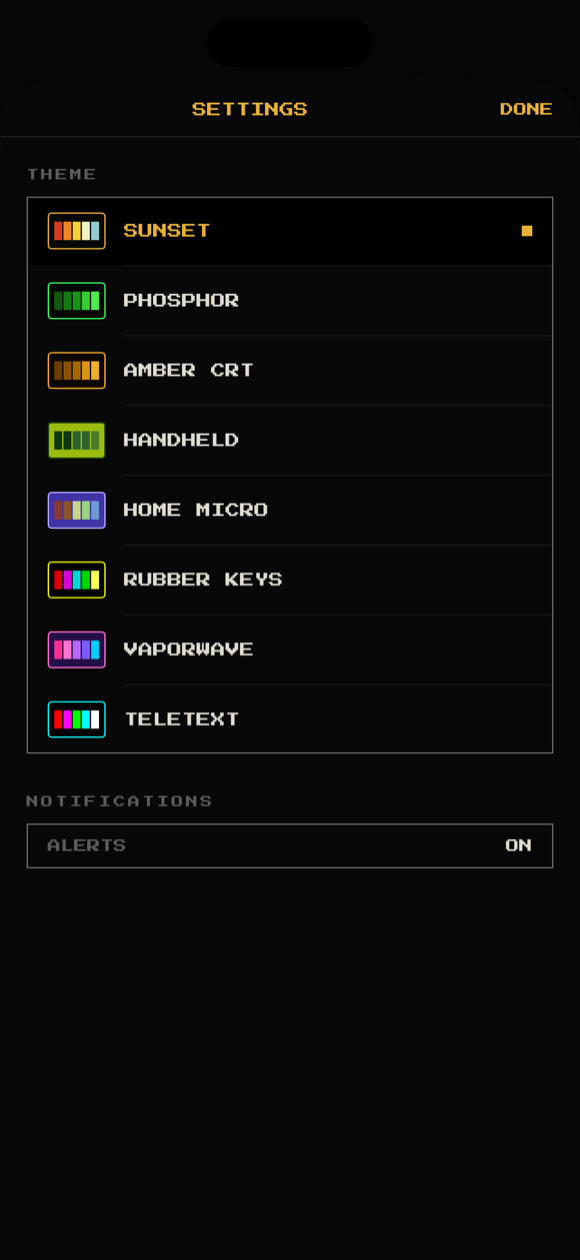
Getting started
- Tap + ADD DISH, name it, and set how long it takes to cook.
- Repeat for the rest of the meal. The list sorts itself, so the next thing to go on is always at the top.
- Allow notifications when prompted. That is how the app tells you a dish is due while you are doing something else.
- Put your longest dish in when you are ready, and tap its flashing bar. That anchors the whole meal: SERVE IN starts counting down and every other dish now has a time to go on.
- Leave the phone on the worktop. When a bar flashes and reads TAP TO START, that dish goes in. Tap the bar once it is in.
Cooking to a fixed time, because people are arriving at seven? Tap SET SERVE TIME and the whole schedule works back from that instead.
Common questions
I'm not getting start alerts
Open SETTINGS in the app and check the ALERTS row. If it does not read as enabled, tap it to jump to the iOS Settings page for bit.timer and switch Allow Notifications on. Also check that Focus modes or Scheduled Summary are not holding notifications back, and that your ringer is not silenced if you want a sound.
How many saved meals do I get?
Three, free, and two of those slots start out filled with sample meals you can delete. bit.timer Pro is a single one-off in-app purchase that lifts the limit, removes the ad and gives that space back to your dishes. One payment, not a subscription, and it does not expire.
I paid for Pro but it isn't unlocked
Open the purchase screen in the app and tap RESTORE PURCHASE. Purchases are tied to the Apple Account that bought them, so check you are signed in with the same one. If it still will not restore, email us with the date of purchase and we will sort it out.
Do the timers keep running if I close the app?
Yes. Timers are calculated from your serve time rather than ticked by the app, so quitting the app, locking the phone or restarting it will not lose your place. Start alerts are scheduled with iOS and fire regardless of whether the app is open.
Can I change a dish once the cook has started?
Yes, and nothing has to be restarted. Tap any dish to edit its name or cook time, or press and hold it for the delete option; the edit screen has a DELETE DISH button too. The whole schedule recalculates on the spot, in both directions: trim a dish and the serve time comes back in, extend one and it moves out. You can move the serve time yourself mid-cook as well.
Why do I have to tap a dish in myself?
Because ovens and hobs do not tell the app anything, and a timer that starts without you is a timer that is confidently wrong. Tapping the bar when the dish actually goes in means the countdown matches the food rather than the plan, so being late with one thing adjusts everything else instead of silently breaking it.
Why does a dish say STARTS IN 32:00 instead of counting down its cook time?
That dish does not need to go on yet, and the number is the wait until it does. Its bar sits empty until then, at which point it flashes, reads TAP TO START and begins to fill once you tap it in. A dish that is overdue counts the other way, as OVERDUE BY, so it is obvious which one the meal is waiting on.
Does it work on iPad or Apple Watch?
bit.timer is an iPhone app. It will run on an iPad in iPhone compatibility mode, but the layout is designed for a phone. There is no Apple Watch app.
Is there advertising?
One small ad card sits under the dish list, in portrait only, and it is how the app stays free. It never covers the countdown or the dish you are waiting on, and buying Pro removes it. What the ads mean for your data is set out in the bit.timer privacy policy.
Still stuck?
Email support@digitoolkit.app and we will reply within two working days. It helps enormously if you include your iPhone model, your iOS version, the app version from SETTINGS → ABOUT, and what you expected to happen instead.
Bug reports and feature requests go to the same address, and reach the person who wrote the app. If something is annoying you, it is probably annoying us too, so do say.
Privacy: bit.timer privacy policy · Terms of use